What Is CRM and Why Is It Important for Businesses?
Building strong customer relationships is essential for any business that wants to grow. Customer Relationship Management, commonly known as CRM, helps companies organize customer information, improve communication, manage sales opportunities, and provide better service.
Whether you run a small business or a large organization, a CRM system can give your team a clearer understanding of your customers and help you make better decisions.
What Is CRM?
CRM stands for Customer Relationship Management.
It refers to both the strategy businesses use to manage customer relationships and the technology that supports that strategy.
A CRM system stores important information such as:
-
Customer contact details
-
Purchase history
-
Sales opportunities
-
Previous conversations
-
Customer preferences
-
Support requests
-
Marketing interactions
Instead of keeping this information in separate spreadsheets, emails, or notebooks, a CRM brings it together in one centralized system.
Why Is CRM Important for Businesses?
Customers interact with businesses through many different channels, including websites, email, phone calls, social media, advertising campaigns, and customer support.
Without an organized system, valuable information can easily be lost.
CRM helps businesses maintain a complete view of each customer relationship. This allows sales, marketing, and customer service teams to work with the same information and provide a more consistent experience.
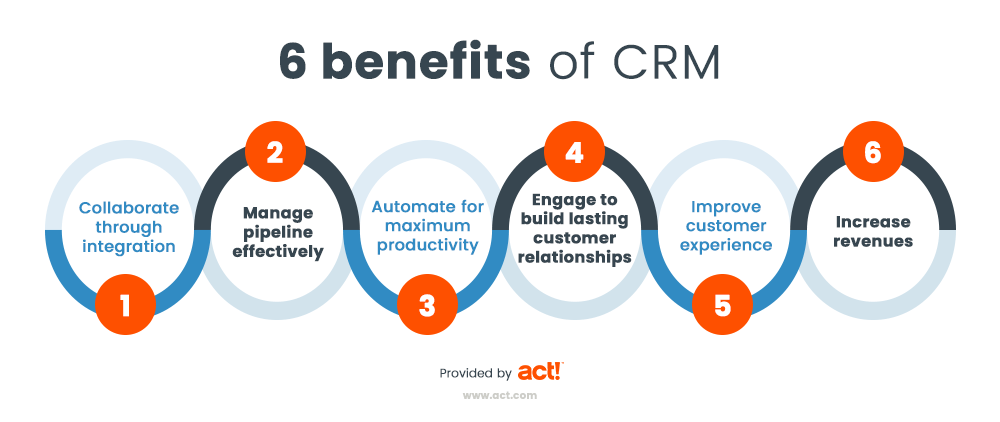
Key Benefits of Using CRM
Better Customer Relationships
CRM allows businesses to understand customers more effectively by keeping their history and preferences in one place.
Employees can quickly review previous interactions and provide more personalized service.
Improved Sales Management
Sales teams can use CRM to track leads from the first contact through the entire sales process.
A CRM can help businesses identify:
-
New leads
-
Active opportunities
-
Follow-up tasks
-
Potential sales
-
Customers who may be ready to buy again
This makes the sales process easier to manage and reduces the chance of opportunities being forgotten.
More Effective Marketing
CRM data can help businesses divide customers into different groups based on interests, behaviors, previous purchases, or other characteristics.
Marketing teams can then create more relevant campaigns instead of sending the same message to every customer.
Greater Productivity
Many CRM platforms automate repetitive tasks.
Depending on the system, businesses may automate activities such as:
-
Follow-up reminders
-
Customer emails
-
Lead assignments
-
Sales notifications
-
Reports
-
Marketing campaigns
Automation gives employees more time to focus on activities that require human attention.
Better Business Decisions
CRM systems can produce reports showing how customers and sales teams are behaving.
Businesses can use these reports to evaluate sales performance, customer activity, marketing results, and other important metrics.
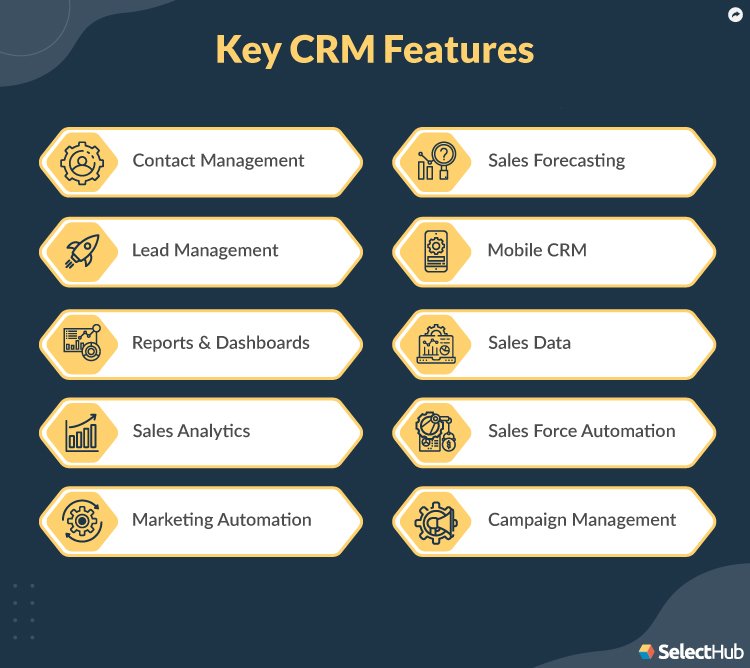
Common CRM Features
Although CRM platforms differ, many include several core features.
Contact Management
Stores customer names, phone numbers, email addresses, companies, notes, and interaction history.
Sales Pipeline Management
Allows sales teams to track opportunities at different stages of the sales process.
Marketing Automation
Some CRM systems provide tools for email campaigns, audience segmentation, lead nurturing, and campaign tracking.
Customer Service Management
Customer service teams can record questions, complaints, requests, and previous support conversations.
Reporting and Analytics
Dashboards and reports help managers understand sales activity, customer behavior, and team performance.
Integrations
Many CRM systems connect with other business tools, including email platforms, accounting software, marketing systems, websites, and communication applications.
How to Choose the Right CRM
The best CRM is not necessarily the system with the largest number of features. It should match the needs of the business.
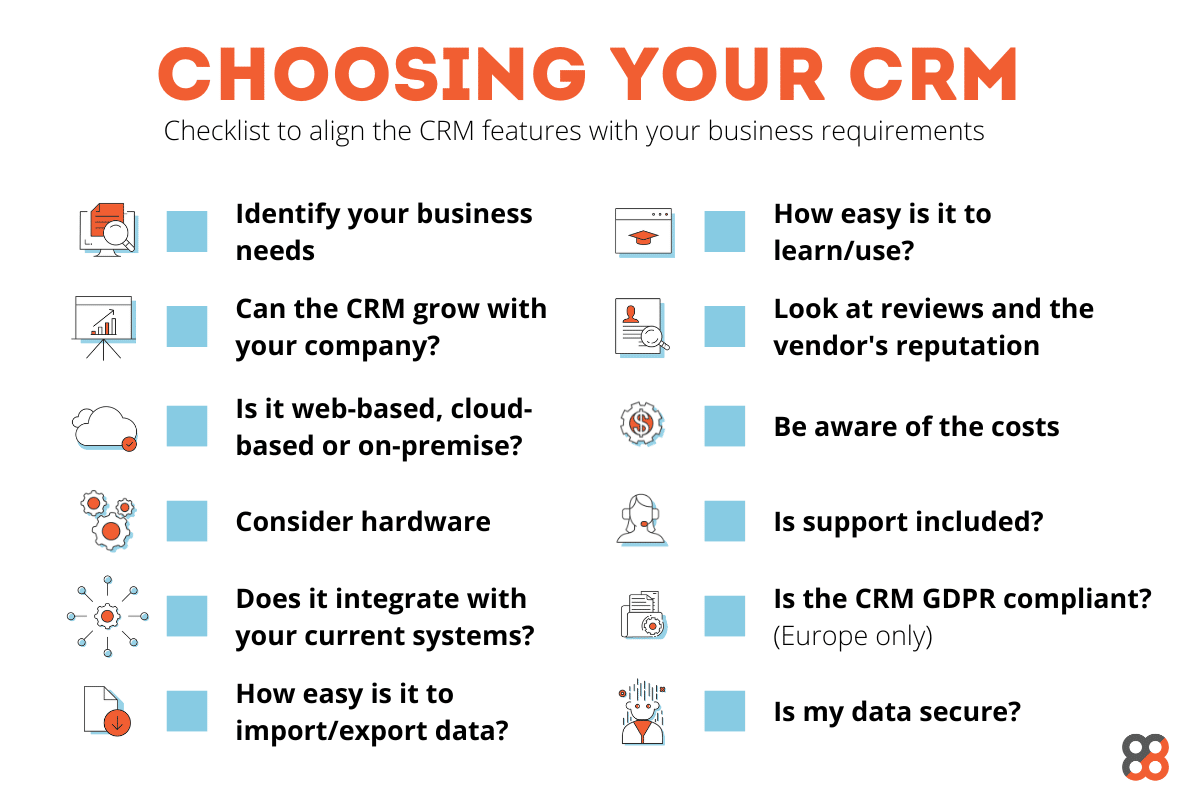
Before choosing a platform, consider the following factors.
Business Needs
Determine which problems the CRM needs to solve.
For example, one company may primarily need sales tracking while another may need stronger customer support or marketing automation.
Ease of Use
A powerful CRM provides little value if employees find it too complicated to use.
Look for an interface that employees can understand and adopt easily.
Integrations
Check whether the CRM works with the tools your business already uses.
Scalability
The platform should be able to support additional customers, employees, and data as the business grows.
Cost
Consider more than the monthly subscription.
Businesses may also need to account for implementation, training, customization, additional users, integrations, and support.
How to Implement a CRM Successfully
Buying CRM software is only the beginning. Successful implementation requires planning.
Define Clear Goals
Decide what you expect the CRM to improve.
Goals may include increasing sales, improving response times, organizing customer data, or improving marketing performance.
Organize Existing Customer Data
Before transferring information into the CRM, remove outdated records and correct inaccurate information.
Train Employees
Employees should understand both how to use the system and why accurate CRM information is important.
Start With Essential Features
Businesses do not need to activate every feature immediately.
Start with the functions that solve the most important problems and expand gradually.
Measure Results
After implementation, track whether the CRM is helping achieve the goals established at the beginning.
Frequently Asked Questions
What does CRM stand for?
CRM stands for Customer Relationship Management.
Do small businesses need CRM?
A CRM can be useful for small businesses that need to organize customer information, track leads, manage follow-ups, or improve customer service.
The appropriate system depends on the size and complexity of the business.
How does a CRM system work?
A CRM collects customer information and interactions in a centralized database. Authorized employees can access that information to manage sales, marketing, service, and customer relationships.
Is CRM only for sales teams?
No. Sales teams frequently use CRM, but marketing, customer service, management, and other departments can also benefit from centralized customer information.
What is the main benefit of CRM?
The main benefit is having organized customer information that helps a business understand customers better and manage relationships more effectively.
Final Thoughts
CRM is more than a database of customer names and contact information. When used effectively, it becomes a central system for managing relationships, sales opportunities, marketing activities, customer service, and business data.
The right CRM can help a company become more organized, provide better customer experiences, and make more informed decisions as the business grows.